K8s Cluster Management
Console: Admin Console
Route:/camp/k8s-dashboard
Primary Users: Platform operations, SRE, cluster administrators
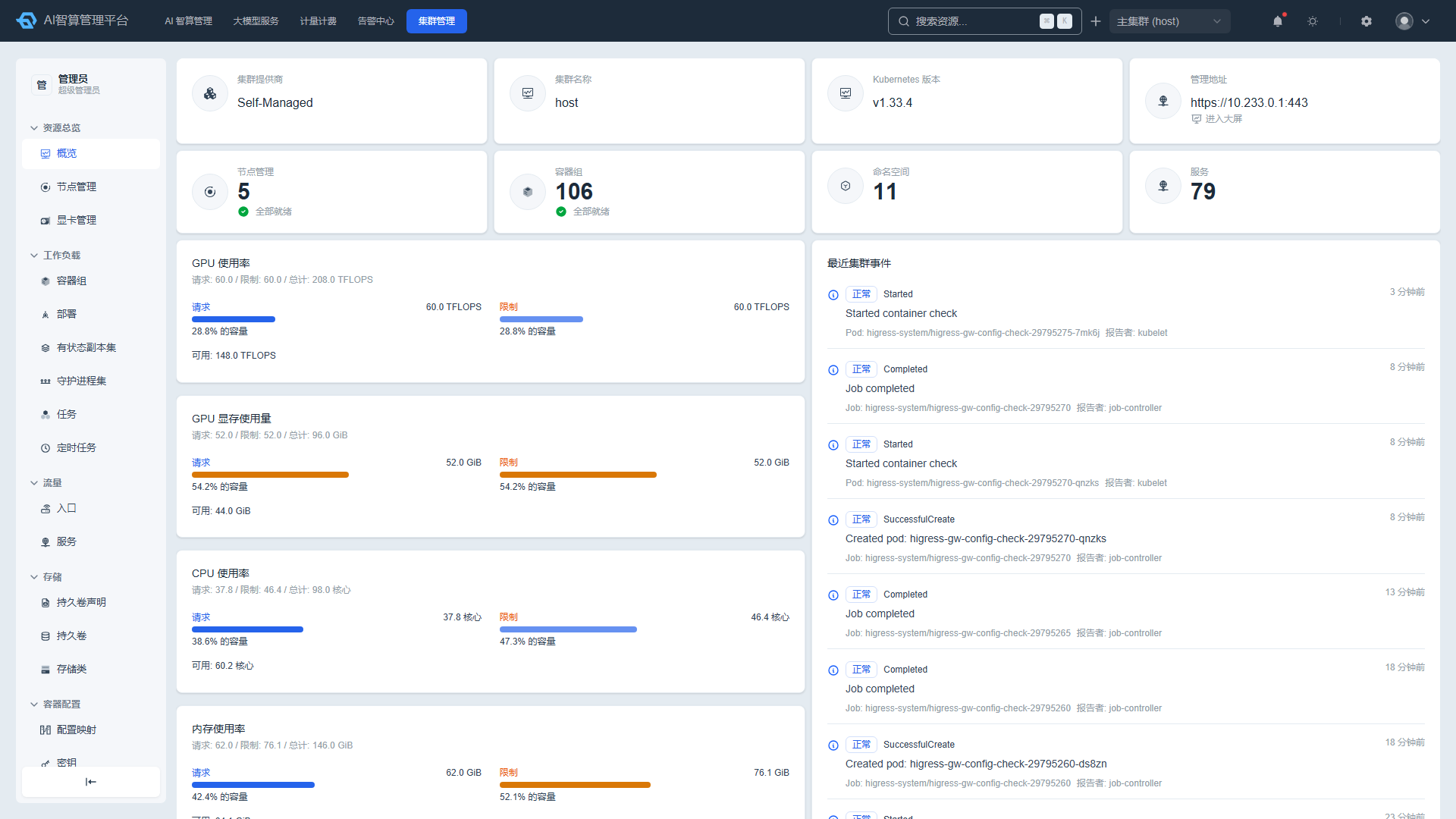
K8s Cluster Management is designed for platform administrators and operations engineers, providing native Kubernetes resource management capabilities for the current cluster. Through this module, you can directly view and operate nodes, GPUs, Pods, Deployments, Services, Ingresses, ConfigMaps, PVCs, Namespaces, and other K8s resources without logging in to the cluster command line.
What Can I Do
| Scenario | Capability |
|---|---|
| View cluster dashboard | View cluster basics, resource utilization, node and GPU status in Resource Overview |
| Manage GPU scheduling | Configure GPU scheduling policies, overcommit strategies, resource pools, and licenses in Compute Configuration |
| Troubleshoot workloads | View running status of Pods, Deployments, StatefulSets, Jobs, and more in Workloads |
| Manage networking and storage | Manage Ingresses/Services in Traffic; manage PVCs/PVs/StorageClasses in Storage |
| Manage configuration and security | Manage ConfigMaps/Secrets/HPAs in Container Configuration; manage RBAC in Security |
| Manage namespaces and events | View Namespaces, Events, CRDs, and system components in Others |
Sub-modules
| Sub-module | Doc | Description |
|---|---|---|
| Resource Overview | Resource Overview | Cluster basics, resource utilization, node and GPU management |
| Compute Configuration | Compute Configuration | GPU scheduling policies, overcommit strategies, virtual devices, resource pools, licenses |
| Workloads | Workloads | Pod, Deployment, StatefulSet, DaemonSet, Job, CronJob |
| Traffic | Traffic | Ingress, Service |
| Storage | Storage | PVC, PV, StorageClass |
| Container Configuration | Container Configuration | ConfigMap, Secret, HPA |
| Security | Security | ServiceAccount, Role, RoleBinding, ClusterRole, ClusterRoleBinding |
| Others | Others | Namespace, Event, CRD, system components |
General Operations
Most K8s resource management pages support the following common operations:
- Search and Filter: Filter by name, namespace, status, labels, and other criteria.
- Column Visibility/Sorting/Pagination: Customize table display with cluster-local persistent configuration.
- Export CSV: Export the current list to a local file.
- YAML Editing: Edit YAML online in the resource detail page and save.
- Describe Modal: View
kubectl describeoutput. - Change History and Rollback: View resource modification history, compare YAML differences, and roll back to a previous version with one click.
- Event Viewing: View resource-related events.
- Batch Delete: Select multiple rows for batch deletion; important resources require name confirmation.
Typical Workflow
- Navigate to Resource Overview to view overall cluster health and node/GPU status.
- In Compute Configuration, configure GPU scheduling policies, overcommit strategies, and resource pools.
- In Workloads, troubleshoot running status of Pods, Deployments, and more.
- In Traffic, view Ingress and Service configurations.
- In Storage, manage PVCs/PVs/StorageClasses.
- In Container Configuration, Security, and Others, manage ConfigMaps, Secrets, RBAC, Namespaces, and more.