Cluster Management
Console: Admin Console
Page Route:/admin/settings
Primary Users: Cluster administrators, Security auditors
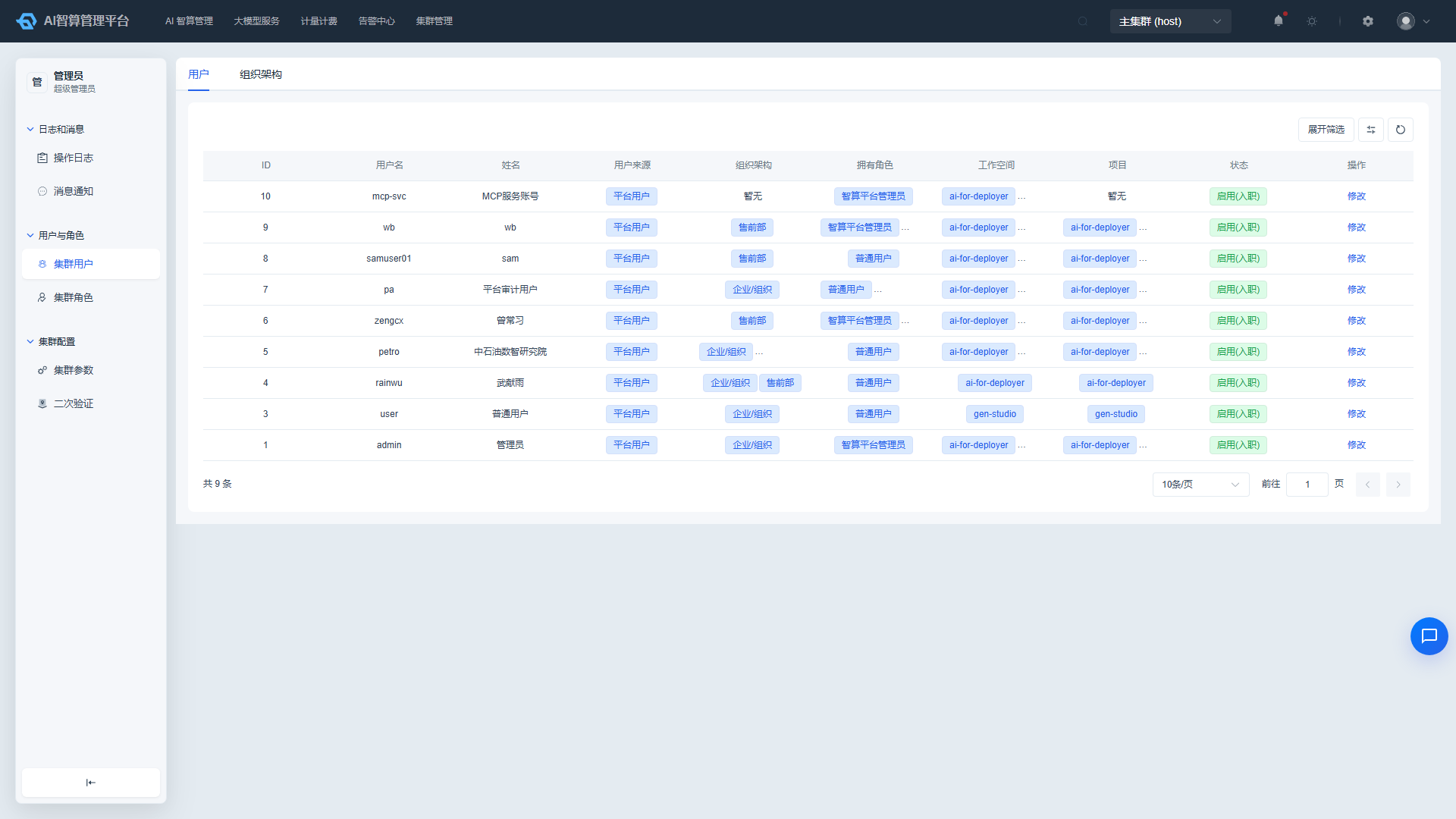
"Cluster Management" is designed for cluster administrators to manage users and roles within the current cluster, view operation logs and message notifications, and configure cluster parameters and two-factor authentication policies.
What Can I Do
| Scenario | Capability |
|---|---|
| Manage cluster members | Maintain cluster departments, users, and role permissions |
| Audit operations | View cluster operation audit logs and system notifications |
| Configure cluster parameters | View cluster parameters and configure two-factor authentication for sensitive operations |
Sub-modules
| Sub-module | Document | Description |
|---|---|---|
| Users & Roles | Users & Roles | Cluster organization structure, users, and role permission management |
| Logs & Messages | Logs & Messages | Cluster operation audit logs and message notifications |
| Cluster Configuration | Cluster Configuration | Cluster parameter viewing and two-factor authentication configuration |
Typical Workflow
- Maintain cluster departments and users, and configure cluster role permissions in Users & Roles.
- View operation audit logs and system notifications in Logs & Messages.
- View cluster parameters and configure two-factor authentication for sensitive operations in Cluster Configuration.