AI Compute Management
Console: Admin Backend
Page Route:/admin/ai-manager
Primary Users: Platform admins, tenant admins, project admins, platform operations
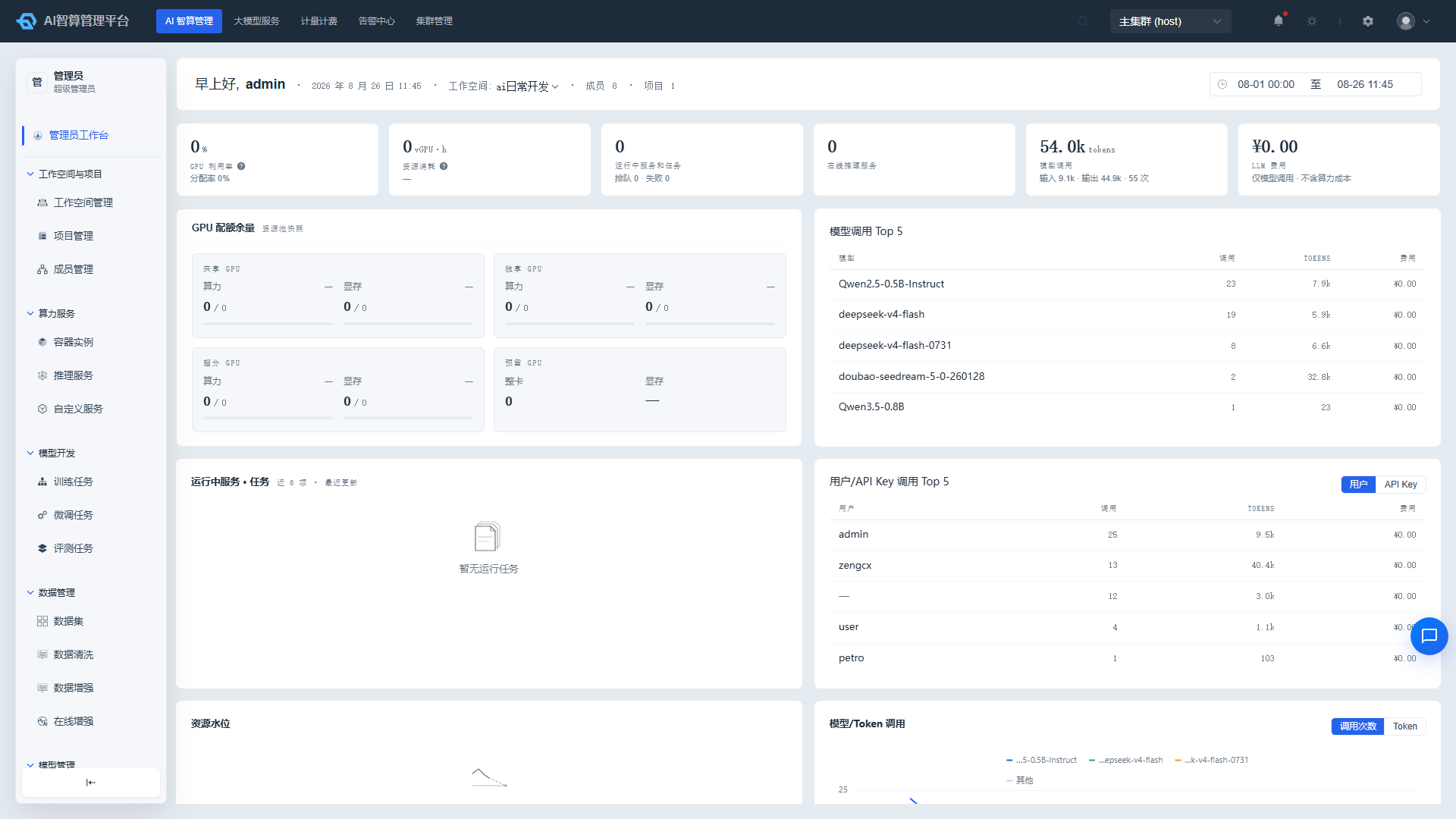
AI Compute Management provides administrators with cross-workspace, cross-project global management capabilities. Through this module, admins can centrally allocate compute resources, manage model and data assets, configure gateway and scheduling policies, govern multi-tenant permissions, and view platform-level operational metrics.
What Can I Do
| Role | Primary Use Cases |
|---|---|
| Platform Admin | View platform KPIs, manage multi-tenancy, configure resource pools and quotas, publish models, configure gateway |
| Tenant Admin | Manage workspaces, projects, members; view tenant-level resources and tasks |
| Project Admin | Manage project members, create container instances / training jobs / inference services for teams |
| Platform Operations | View platform resource usage trends, model call Top charts, cost trends |
Sub-modules
| Sub-module | Documentation | Use Cases |
|---|---|---|
| Admin Workbench | Admin Workbench | View core platform KPIs, resource pool quotas, running workloads, call Top charts and trend graphs |
| Workspaces & Projects | Workspaces & Projects | Create tenants / projects, assign resource pools, set quotas, manage members and recycling policies |
| Compute Service | Compute Service | Cross-tenant management of container instances, inference services, custom services; create resources on behalf of projects |
| Model Development | Model Development | Cross-tenant management of training / fine-tuning / evaluation jobs, batch operations and shared TensorBoard |
| Model Management | Model Management | Publish models to Model Hub, maintain inference deployment templates, configure model pricing |
| AI Gateway | AI Gateway | Connect external model channels, configure AI routing and rate limiting / degradation, manage API Keys and MCP |
| AI Asset Management | AI Asset Management | Manage storage services, data storage volumes, compute flavors, image sources / image services, credentials and keys, labels |
| Data Management | Data Management | Cross-tenant management of datasets, data cleaning / augmentation jobs, online augmentation tools |
| Policy Management | Policy Management | Configure training scheduling policies, training queues, resource recycling strategies and job priorities |
| Recycle Bin | Recycle Bin | Restore or permanently delete removed container instances, training / fine-tuning / inference services |
Typical Usage Flow
As a platform admin, the typical daily workflow is as follows:
- Resource Preparation: Configure storage services, compute flavors, image sources and image services in AI Asset Management.
- Tenant Planning: Create workspaces (tenants) in Workspaces & Projects, assign resource pools and set quotas.
- Model Publishing: Publish models and create deployment templates in Model Management.
- Gateway Integration: Connect external model channels and configure AI routing in AI Gateway.
- Resource Creation: Create resources on behalf of projects in Compute Service / Model Development / Data Management.
- Operational Monitoring: View resource usage and model call patterns in Admin Workbench.
- Recycling & Governance: Configure recycling policies in Policy Management, and handle accidentally deleted resources in Recycle Bin.