Model Marketplace
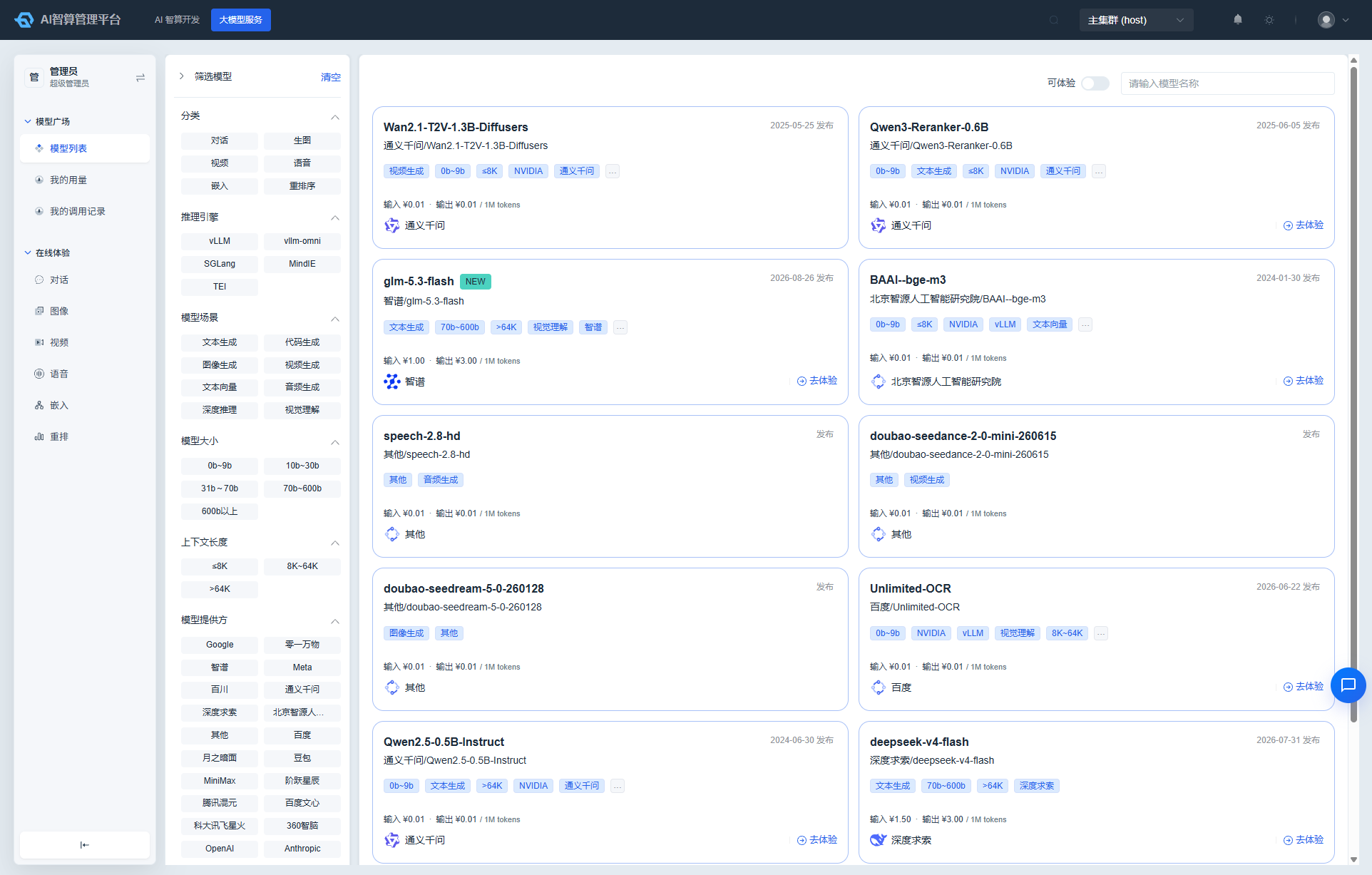
The Model Marketplace is the primary entry point for discovering and deploying models. Models published by platform administrators are displayed here as cards, with support for multi-dimensional filtering, performance references, pricing comparison, and one-click try / one-click deploy.
Access path: Left sidebar ModelX Service > Model Marketplace, page route
/admin/model-x/models.
Browsing and Filtering Models
The left side of the page is the filter panel; the right side is the model card list:
- Category filter: Click a model category on the left (e.g., LLM, Embedding, Vision, Rerank, Audio).
- Tag filter: Filter by model scenario, model size, context length, inference engine, chip vendor, model provider, and other tags.
- Keyword search: Enter a model name in the search box at the top for real-time filtering.
- Available for try toggle: Turn on to show only models that support online playground.
Each model card displays:
- Model name and release date
- Model tags
- Pricing: Token-based billing shows input / output unit price; per-call billing shows price per call
- Average latency and error rate over the past 24 hours (as a reference for runtime quality)
- Model provider icon
One-Click Deploy
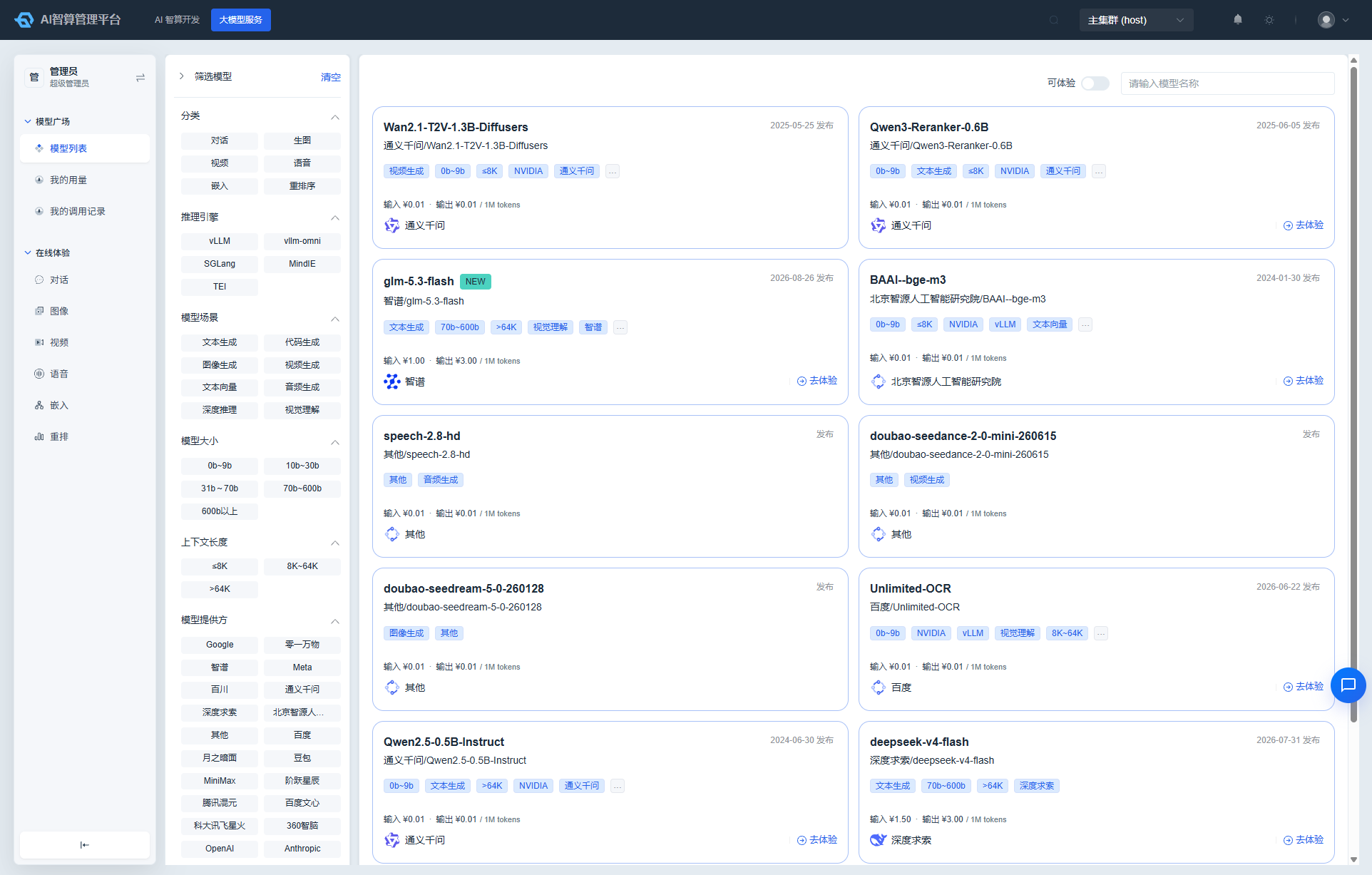
- Locate the target model card on the Model Marketplace.
- Click "Deploy" (only shown for models that support local deployment).
- The system automatically navigates to the inference service creation page with the following pre-filled fields:
- Model source: Model Marketplace
- Model: current model
- Deployment template: the default template associated with the model
- Supplement additional fields such as project, compute specification, and instance count.
- Click "Create" and wait for the service to start running to obtain the API call endpoint.
One-Click Try
- Locate a model card that supports online playground on the Model Marketplace.
- Click "Try Now".
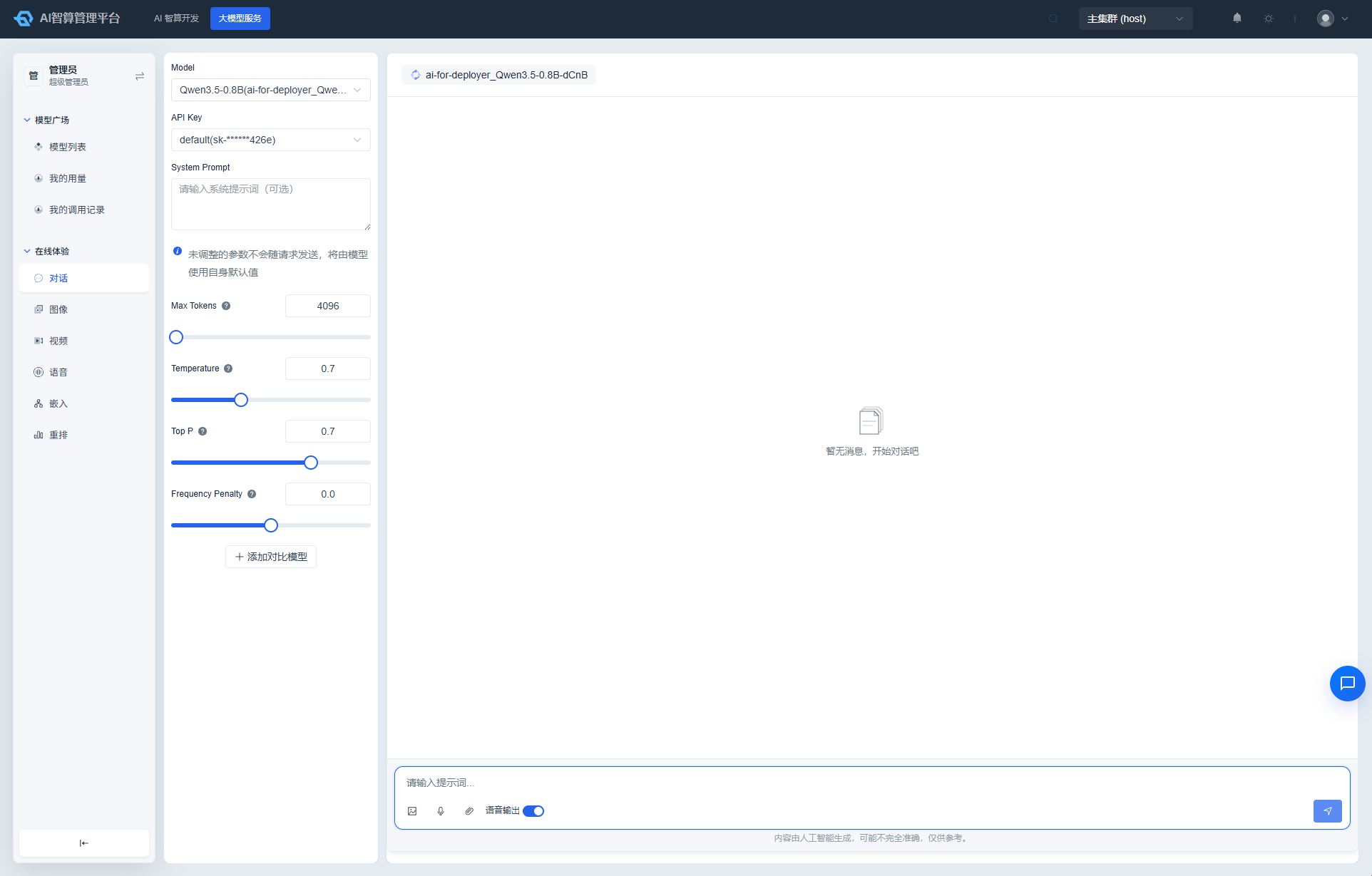
- The system navigates to ModelX Service > Online Playground and automatically selects that model.
- Enter content in the chat / image generation / voice pages to begin testing.
Model Details
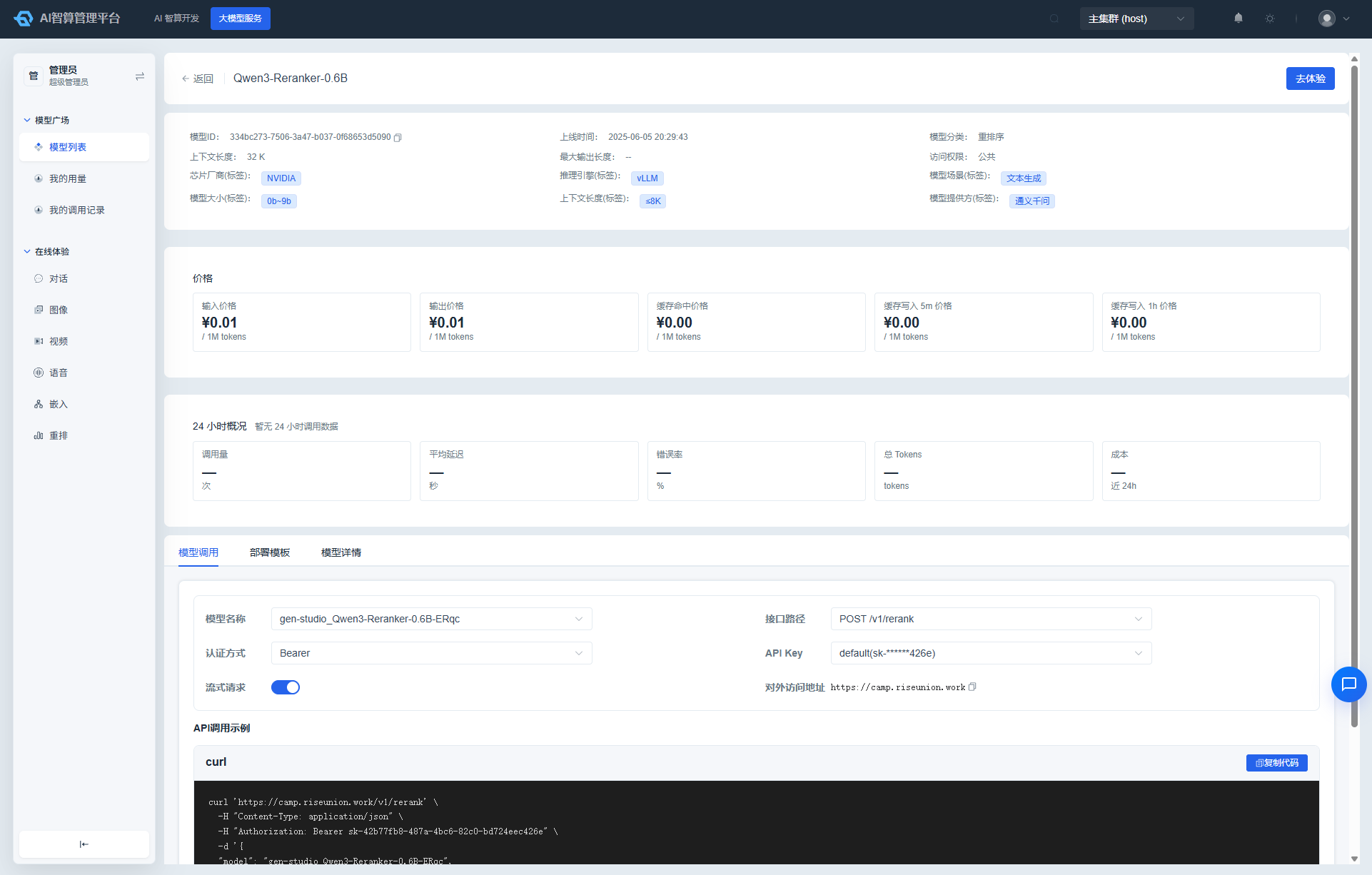
Click a model name to enter the details page:
- Basic info: Model category, context length, maximum output length, parameter count, model provider, tags.
- Pricing section: Displays input / output / cache-read / cache-write-5m / cache-write-1h pricing tiers.
- Performance reference: Latency, error rate, and call volume trends over the past 24 hours.
- Deployment records: List of inference services associated with the model (if authorized).
FAQ
Q: Why don't some models have a "Deploy" button? A: The administrator did not enable "Support local deployment" when creating the model, or the model is only available for external channel calls.
Q: Where do the pricing and performance data come from? A: Pricing comes from billing policies configured by administrators; performance data is based on real call statistics from the platform over the past 24 hours and is for reference only.